
Diccionario Español Yorùbá
Erick Mora CarbóLibraries & Demo
2.62.00 Reviews
- Version
- 1.0.27
- Installs
- 10.00K
- Age Rating
- Everyone
Screenshots
Our Review of Diccionario Español Yorùbá
 Analysis by Appyee
I usually turn to a pocket dictionary when I need one word quickly, not when I’m ready to study for an hour. That makes a Spanish–Yorùbá reference app useful in a very particular way: it can help me check a word, prepare for a short exchange, or keep a small set of vocabulary close at hand. Diccionario Español Yorùbá is aimed at that practical gap between Spanish and Yorùbá, and I’d treat it as a handy reference rather than a complete language course.
Quick look-ups are its strongest use case
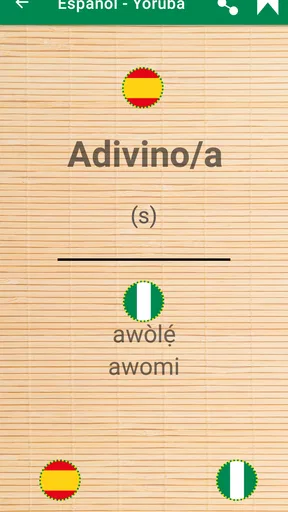
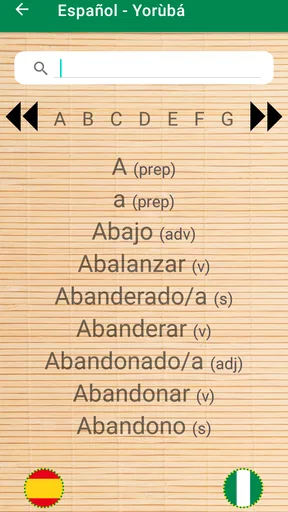
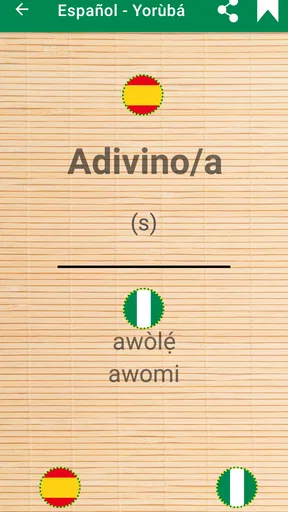
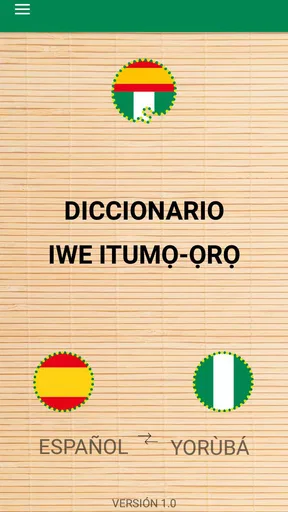
The app translates in both directions, from Spanish to Yorùbá and from Yorùbá to Spanish. That two-way focus matters when I’m not just learning new words but trying to understand something I’ve encountered. I can start with a Spanish word I want to express, or check the meaning of a Yorùbá word I’ve been given. For short, focused searches, that is a more direct starting point than a broad translation tool designed for many languages at once.
I would use it before a conversation to look up a few useful terms, then keep the ones I expect to need together. For example, if I’m preparing to greet someone or ask a simple everyday question, I can check the relevant vocabulary ahead of time instead of reaching for my phone in the middle of the exchange. That kind of preparation is more realistic than expecting a dictionary to carry a whole conversation for me.
Speed expectations and search habits
A dictionary search should feel quick, and the original experience described here is generally straightforward, though searches for some words can occasionally lag. I wouldn’t make a single delayed result a deal-breaker, but I would avoid relying on the app as a live interpreter when a conversation is moving fast. Search one item at a time, give the result a moment to load, and check important wording before using it aloud.
A small but useful habit is to search both directions when a word matters. Looking up a Spanish term in Yorùbá gives me a candidate translation; reversing the search can help me check that I have the intended sense rather than grabbing a word that only seems close. It is not a substitute for context or a fluent speaker, but this extra check can catch a mismatch before it becomes awkward.
When a short reference becomes a study aid
Saved vocabulary can make the app more useful than a series of isolated searches. Rather than saving every result, I’d keep a short, themed set: words for an upcoming visit, expressions I keep forgetting, or vocabulary from one conversation. A compact list is easier to revisit than a long collection with no clear purpose. It also gives me a simple way to turn a quick lookup into a small practice routine.
If I’m learning independently, I would pair those saved entries with a notebook or another study method. A translation tells me where to begin, but remembering a word takes repeated use, and vocabulary alone does not teach sentence structure or conversational timing. The app’s value is in making specific Spanish–Yorùbá checks convenient; I would not expect it to replace a structured course, lessons with a teacher, or regular conversation.
Reliability and the limits of translation
For a low-pressure lookup, a brief delay is mostly an annoyance. In a more important situation—such as preparing a message, discussing a sensitive subject, or relying on an exact phrase—I would verify the wording with a trusted speaker or another reliable reference. That is a sensible boundary for any dictionary, especially when a single word can change meaning depending on context. I see this app as a useful first check, not a guarantee that every phrase will sound natural.
I also wouldn’t assume that a dictionary entry automatically provides the right tone or social nuance for every setting. A word that works as a vocabulary equivalent may not be the best choice in a particular conversation. If I’m unsure, I’d keep the sentence simple, use the app to identify the core vocabulary, and ask someone who knows Yorùbá to review anything where precision matters.
A Quick Dive into the App
So, what's the deal with this app? In a nutshell, the Diccionario Español Yorùbá is a digital dictionary that bridges the language gap between Spanish and Yoruba speakers. It's super handy if you're diving into the Yoruba culture or just want to learn a new language for fun. The app is available for both Android and iOS, so no one gets left out!
Interface and Usability
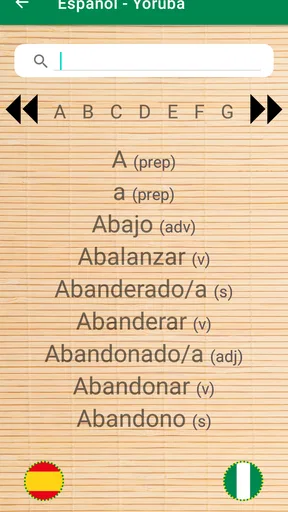
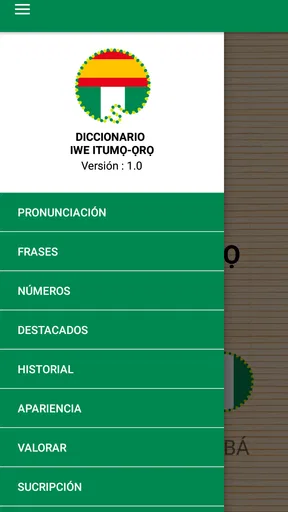
First things first, let's talk about the interface. When you open the app, you're greeted with a clean and intuitive layout. It’s not cluttered, which is a big plus if you ask me. The search bar is right at the top—perfect for quick look-ups. You can type in either Spanish or Yoruba words and get instant translations. The developers have really kept the user experience in mind here.
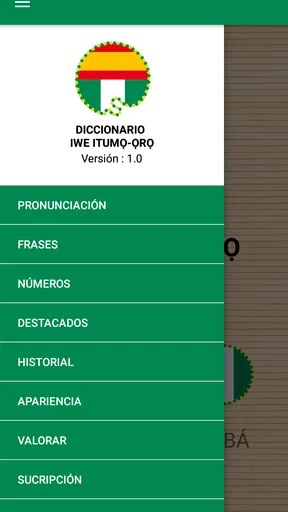
If you're worried about getting lost in language apps, fear not! The buttons are large and clearly labeled. Plus, there's a handy tutorial when you first open the app, guiding you through all its features. It's like the app is holding your hand as you explore.
Features Galore
Now, onto the features. One thing that really impressed me is the comprehensive database. The app houses a ton of words and phrases, so you're unlikely to find yourself without an answer. Whether you're translating everyday words or more complex phrases, the app has got you covered.
Another neat feature is the pronunciation guide. For each word, you can tap on the speaker icon to hear how it’s pronounced. This is super helpful if you're like me and struggle with getting the tones just right. The pronunciation is clear and easy to follow, making it easier to practice your speaking skills.
There’s also a favorites section where you can save words and phrases you use frequently. This is great for those who want to build their vocabulary over time and have quick access to commonly used translations.
Learning on the Go
With our busy lives, sometimes it’s hard to sit down and commit to learning a new language. That’s where the offline mode comes in. Yup, you heard it right—no internet, no problem. You can still access the dictionary and all your saved favorites even without a Wi-Fi connection.
The app also offers daily word notifications. It’s a simple yet effective way to keep learning, even if it's just a word a day. Before you know it, you’ll have a whole new set of vocabulary at your fingertips.
Device demands and access
This is a lightweight kind of task in principle: looking up text and keeping useful vocabulary nearby is very different from running a graphics-heavy game or editing large files. I’d expect the experience to suit ordinary everyday phones, though an older or crowded device can still make any app feel less responsive. The stated Android minimum is version 5.0, so people using newer Android devices are within the supported range; the app is also offered on iOS.
It is free to install, but the app includes in-app purchases, with listed items ranging from $0.99 to $8.49. I’d take advantage of the free three-day trial mentioned for the translation service only after checking the trial terms and what happens when it ends. If I only need occasional word checks, I’d first decide whether the free access is enough for my routine rather than assuming I need to pay. The app is rated for everyone, which makes it broadly suitable for general use, though younger learners may still benefit from an adult helping them turn dictionary results into practice.
What happens when the app feels slow
If a search stalls, I’d first try a shorter query instead of repeatedly tapping the search control. A single word is easier to test than a long phrase, and it helps separate a slow lookup from a query the dictionary may not handle as expected. If the app becomes unresponsive, closing and reopening it is a reasonable first step; I’d avoid making repeated searches while it is struggling, since that can make it harder to tell whether the original request completed.
Offline access is particularly helpful for planned reference, but I would test it before depending on it somewhere without a connection. I’d save the words I know I’ll need while online, then check that the saved list is available when disconnected. This is a practical precaution for travel or a visit where connectivity may be unreliable, and it avoids discovering at the last moment that I have not prepared the vocabulary I wanted.
Where it fits among language tools
Compared with a general-purpose translator, this app has a narrower job: Spanish and Yorùbá in both directions. That focus can be appealing when those are the languages I actually need, because I’m not navigating a broad catalog just to reach this pair. A general translator may be more convenient for someone moving between several languages or needing to process longer passages, while a dictionary is often better for checking individual words and building a personal vocabulary list.
It also sits below a full course in structure. A course can guide lessons and sequence concepts; a dictionary answers targeted questions. If I already have a class or tutor, this can complement that learning by making quick checks easier. If I want a complete path from beginner to confident conversation, I’d choose a course or teacher and use the dictionary as a side tool rather than expecting it to supply that progression.
Who will get the most from it
I’d recommend trying it if Spanish is comfortable for you and your immediate goal is to explore Yorùbá vocabulary, check a word in either direction, or prepare a handful of terms for a real interaction. It is also a reasonable companion for someone who already studies with another method and wants a focused reference nearby. The strongest fit is a learner who is happy to verify important wording, practise regularly, and treat translations as starting points rather than finished conversations.
I would skip it as my main tool if I needed dependable, polished translations of long messages, detailed grammar instruction, or a guaranteed way to communicate instantly under pressure. Someone who needs language support for work, health, legal matters, or another high-stakes exchange should not rely on a pocket dictionary alone. A qualified interpreter or a fluent person is a safer choice when a misunderstanding could have serious consequences.
Room for Improvement?
Now, no app is perfect, right? While the Diccionario Español Yorùbá is pretty solid, there are a couple of things that could make it even better. For starters, I would love to see more interactive features like quizzes or games to make learning more engaging. It would also be great if there was a way to track your progress over time.
Another thing is the occasional lag when searching for certain words. It doesn’t happen often, but when it does, it can be a bit frustrating. Hopefully, future updates will address this.
Audience and expectations
The app is developed by Erick Mora Carbó and belongs to the practical reference side of language apps rather than the course-and-lesson side. Its average rating is 2.6 from 65 ratings, with 2 written reviews, so I would approach it with measured expectations instead of assuming every user has had the same experience. It has passed 10K+ installs, which suggests that people have tried it, but popularity alone does not tell me whether its particular workflow will suit my needs.
The current version is 1.0.27. I would keep the app updated when an update is available, especially if I encounter a search problem, and I’d avoid treating any one session as proof that every lookup will behave the same way. For my own decision, I’d test the words I genuinely need during the trial period, try the Spanish-to-Yorùbá and Yorùbá-to-Spanish directions, and see whether the speed and results fit my routine before making it part of an important workflow.
Final Thoughts
All in all, the Diccionario Español Yorùbá is a fantastic resource for anyone interested in learning Yoruba or needing quick translations. Its user-friendly interface, extensive database, and offline capabilities make it a must-have tool for language enthusiasts. Whether you're a beginner or just brushing up on your skills, this app has something for everyone.
If you’re curious or eager to expand your language repertoire, I highly recommend giving this app a try. It's like having a personal translator and language tutor right in your pocket. Happy learning!
My performance verdict
For me, this is best judged as a focused reference, not as a demanding app whose worth depends on high speed or elaborate systems. The occasional search lag is the clearest performance drawback, while saved favorites and offline access make prepared use more forgiving. I would use it for low-pressure vocabulary checks, test it on my own phone before relying on it, and keep another source close for exact or urgent communication.
My recommendation is therefore conditional but positive: if you want a Spanish–Yorùbá dictionary to support small, repeatable learning tasks, this app is worth a careful try. If you need full lessons, consistently polished sentence translation, or fast interpretation in a consequential conversation, I’d choose a more suitable tool and treat this one as a secondary reference.
Verdict
Strengths of Diccionario Español Yorùbá
- Comprehensive word database.
- User-friendly interface.
- Offline access available.
- Quick search functionality.
- Supports pronunciation guides.
Limitations of Diccionario Español Yorùbá
- Limited advanced features.
- Occasional translation errors.
- No interactive learning tools.
- Ads in free version.
- Infrequent updates.
Similar Picks in This Category
View All
PGT: GFX, Launcher & Optimizer
Trilokia Inc.4.5

AusweisApp Bund
Governikus Service GmbH3.7

Cardboard
Google LLC3.2

Gamers GLTool with Game Tuner
Trilokia Inc.4.5

Multi Web Chat - Read Secretly
World Scan & Cleaner3.8

App Cloner Premium & Add-ons
App Listo1.9
You May Also Like
View All
Frequently Asked Questions
What features does the Diccionario Español Yorùbá app offer?
The Diccionario Español Yorùbá app provides a comprehensive database for translating between Spanish and Yorùbá. It includes pronunciation guides, example sentences, and cultural notes to enhance understanding. Users can also access offline mode, making it convenient for use without an internet connection, and benefit from regular updates that improve vocabulary accuracy.
Is the Diccionario Español Yorùbá app user-friendly for beginners?
Yes, the app is designed with an intuitive interface, making it accessible for beginners. It offers a straightforward search function, allowing users to easily find translations. Additionally, the app provides a tutorial for new users, helping them navigate and utilize all features effectively from the start.
Does the app require an internet connection to function?
The Diccionario Español Yorùbá app offers both online and offline functionalities. While certain features like real-time updates and additional resources may require an internet connection, the core dictionary functions are fully accessible offline. This makes it a reliable tool for travel or use in areas with limited connectivity.
Are there any in-app purchases or subscriptions in the Diccionario Español Yorùbá app?
The app is free to download, but it includes optional in-app purchases. These purchases may offer additional features such as enhanced cultural content, no advertisements, and expanded vocabulary lists. Users can choose to subscribe for premium content if they wish to access more advanced tools and resources.
How frequently is the Diccionario Español Yorùbá app updated?
The app is regularly updated to ensure accuracy and reliability. Updates typically include new vocabulary, bug fixes, and performance improvements. The development team is committed to providing a high-quality experience, so users can expect consistent improvements and support for the app over time.
